
Reset Two factor Authentication
If you need to reconfigure your 2FA (e.g. changed device or lost access to your authenticator), you can reset it from your account settings.
Steps:
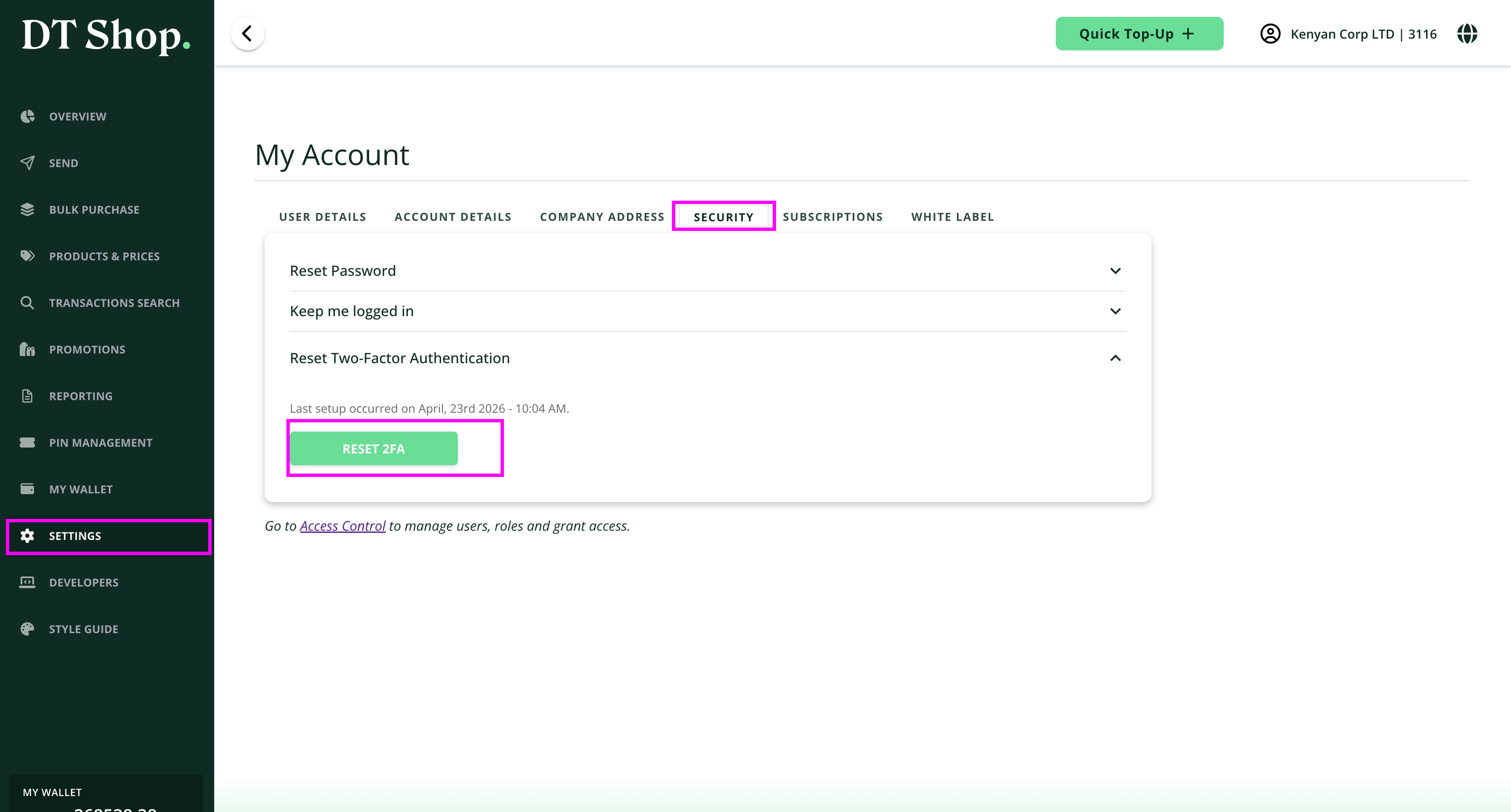
- Sign in to your DT Shop account
- Navigate to Settings from the left sidebar
- Open the Security tab
- Click “Reset Two-Factor Authentication”
- Click Reset 2FA
After initiating the reset:
- Scan the QR code using your authenticator app(e.g. Google Authenticator, Microsoft Authenticator)
- Enter your current account password
- Enter the verification code (token) generated by your authenticator app
- Click Submit
Notes
This process replaces your existing 2FA configuration
Ensure you complete the setup immediately to avoid login issues
If you cannot scan the QR code, use the “Can’t scan it” option
Updated about 2 months ago
Did this page help you?