
Replenish DT Shop Wallet with Alipay
How To: Replenish DT Shop Wallet with Alipay
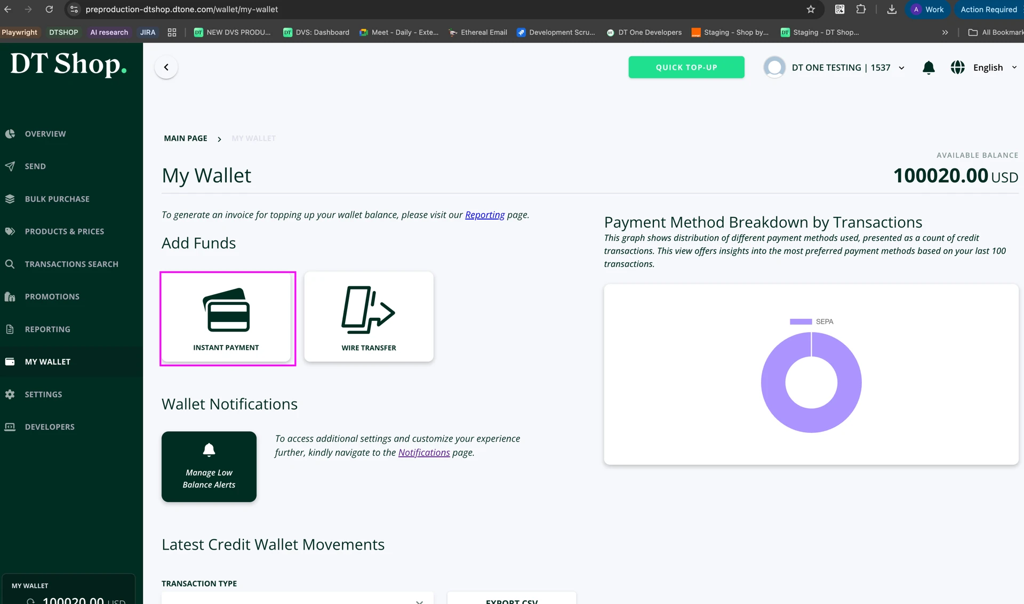
- Go to the DT Shop Wallet page
Navigate to:
https://dtshop.dtone.com/wallet/
Under MY WALLET, click on INSTANT PAYMENT.
- Enter the amount to replenish your wallet
Enter the amount you want to add to your DT Shop wallet and click NEXT.
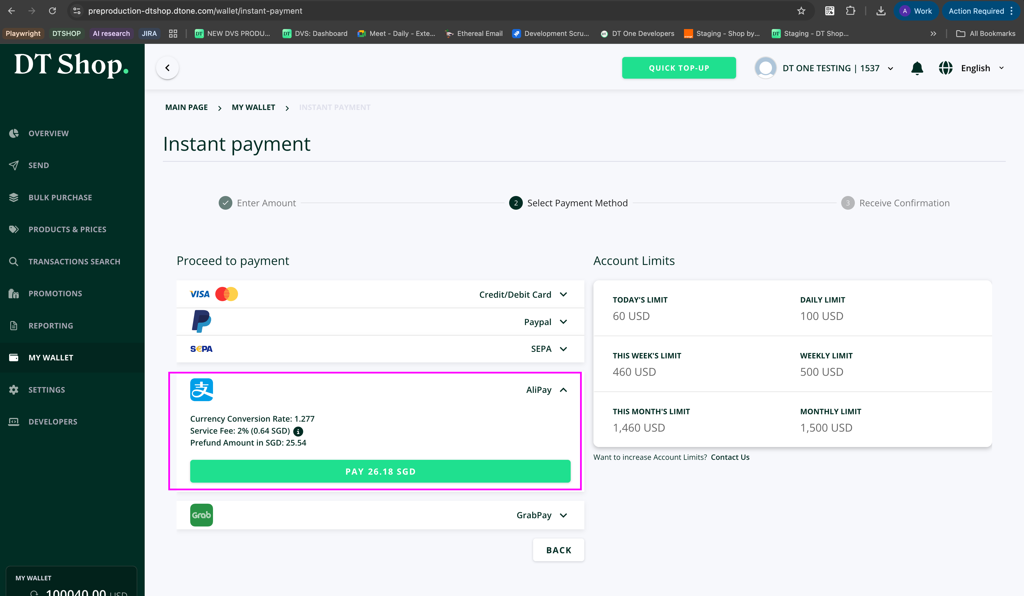
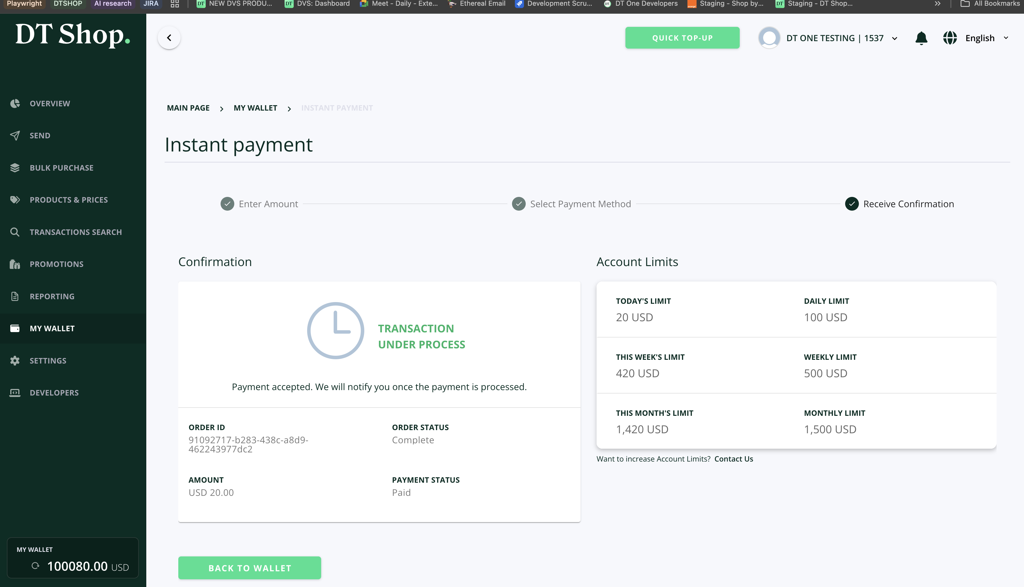
Note that DT One limits the amount of funds a customer can add to their DT Shop wallet within specific timeframes. Funding limits include:
- Today's Limit
- Daily Limit
- This Week's Limit
- Weekly Limit
- This Month's Limit
- Monthly Limit
If you require higher limits, you may submit a request through the Contact Us form.
- Select Alipay as the payment method
In the Proceed to Payment section, expand Alipay.
The payment information will display:
- Currency Conversion Rate
- Service Fee
- Prefund Amount
Alipay payments include a processing fee of 2%, with a minimum equivalent of 0.5 USD.
The calculated service fee will be displayed before confirming the payment.
Click PAY to proceed.
- Authorize the payment with Alipay
You will be presented with a payment confirmation screen showing:
- Wallet Top-up amount
- Email address
- Selected payment method (Alipay)
The email address displayed corresponds to the email used during DT Shop account registration and will be used for the payment transaction.
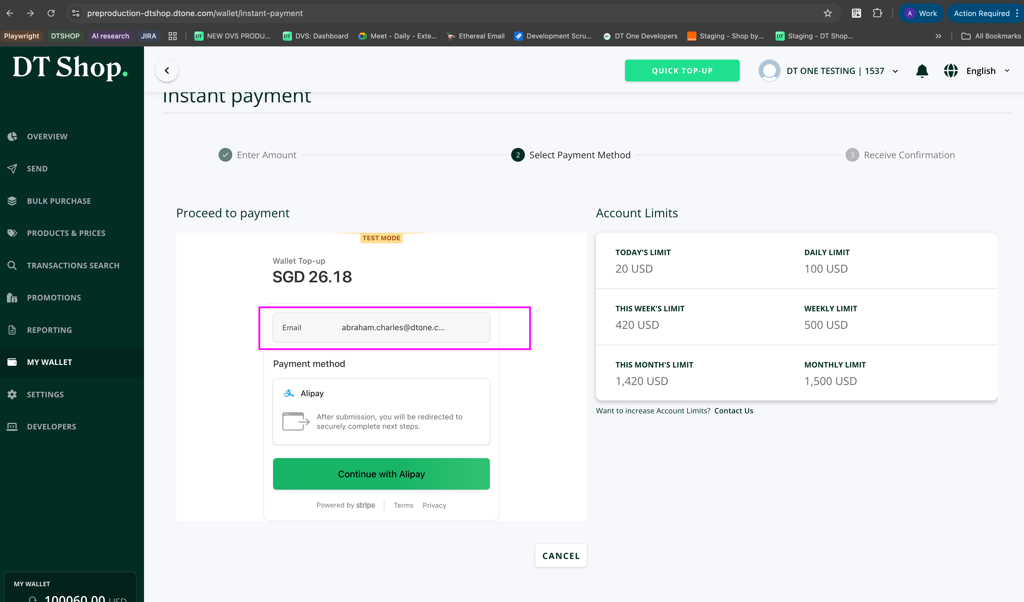
Click Continue with Alipay to proceed.
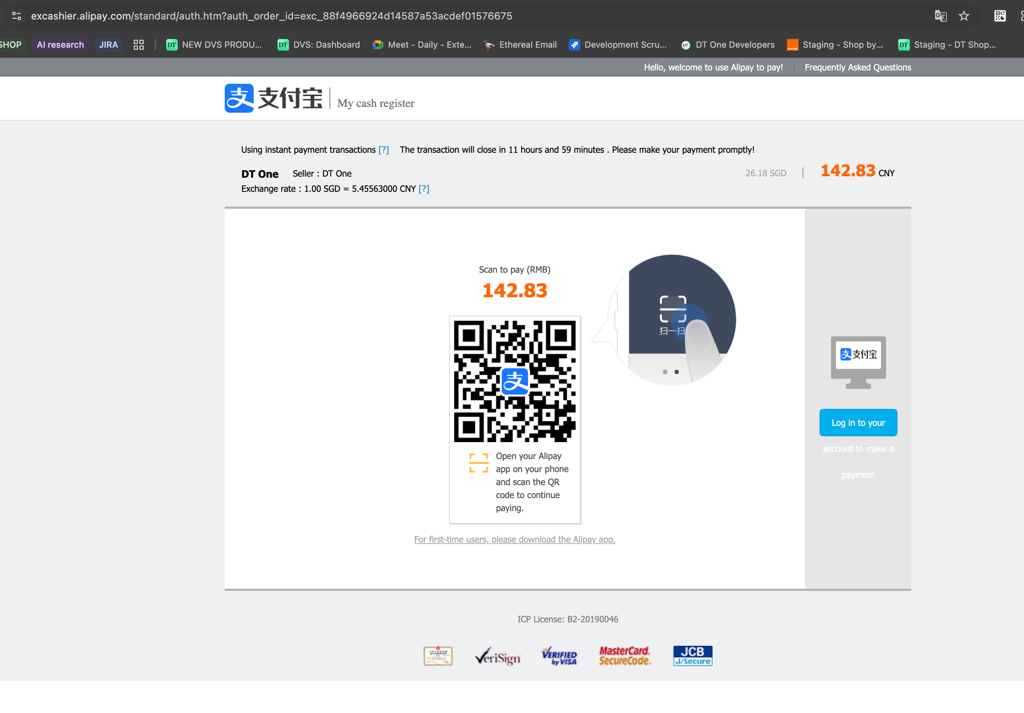
After submission, you will be redirected to Alipay to securely complete the payment authorization.
-
Payment confirmation
After completing the payment authorization, the system will display a confirmation screen showing that the transaction is under process.
- View the transaction in Wallet History
Navigate to:
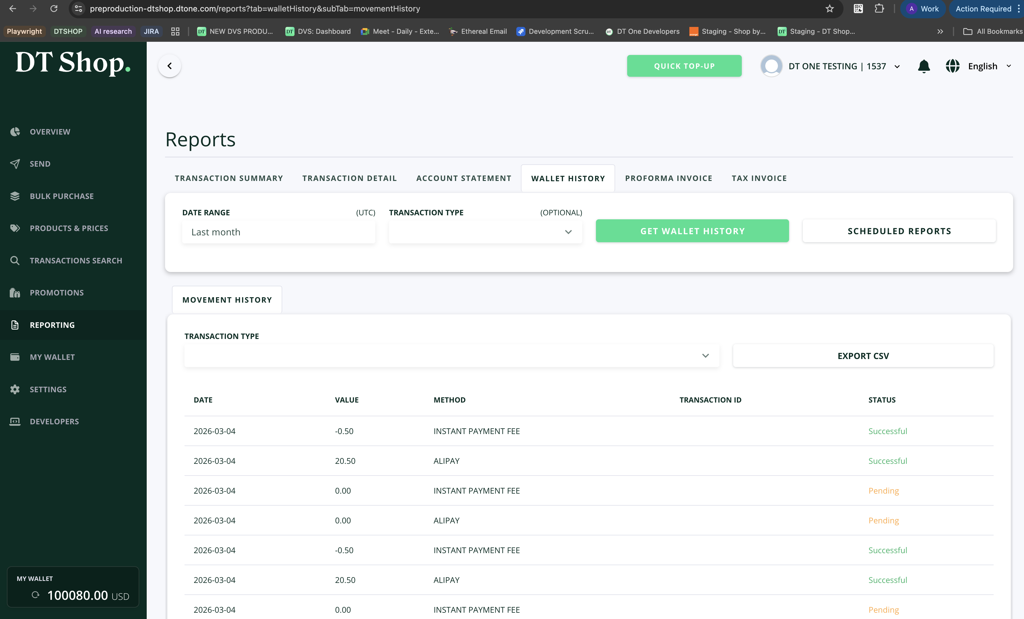
Reporting → Wallet History
The transaction will appear with:
-
Method: Alipay
-
Value: Transaction amount
-
Status: Successful (once processed)
- Email confirmation
You will receive a payment confirmation email once the transaction is completed.
Updated 5 months ago