
New! How to Set Rounded Retail Prices in DT Shop
How to Set Rounded Retail Prices in DT Shop
This guide will help you configure the Retail Price rounding feature in DT Shop, making it easy to match retail prices to the needs of your specific environment. Our feature automatically rounds UP your retail prices, ensuring prices are easy to collect while aiming to maintain your intended profitability.
- Option 1. Set the rounded retail price keeping the existing margin / markup
On the Products and Pricing page select single or multiple products (to select all products by ticking the box on the table header) and click ROUND RETAIL PRICES
Important Note:
- Availability: This rounding option is available only if you have set the retail price for your products.
- No Retail Price Set: If the retail price is not set or is set to "0", you should use Option 2 to set or modify the retail prices before selecting the rounding preference.
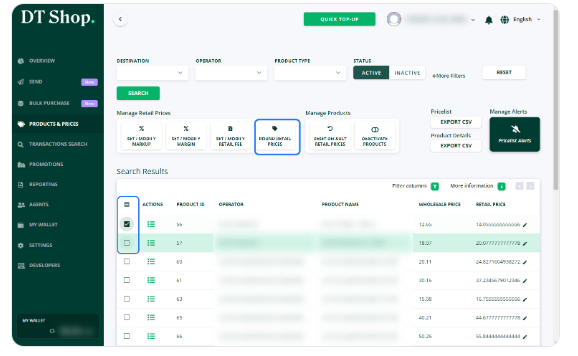
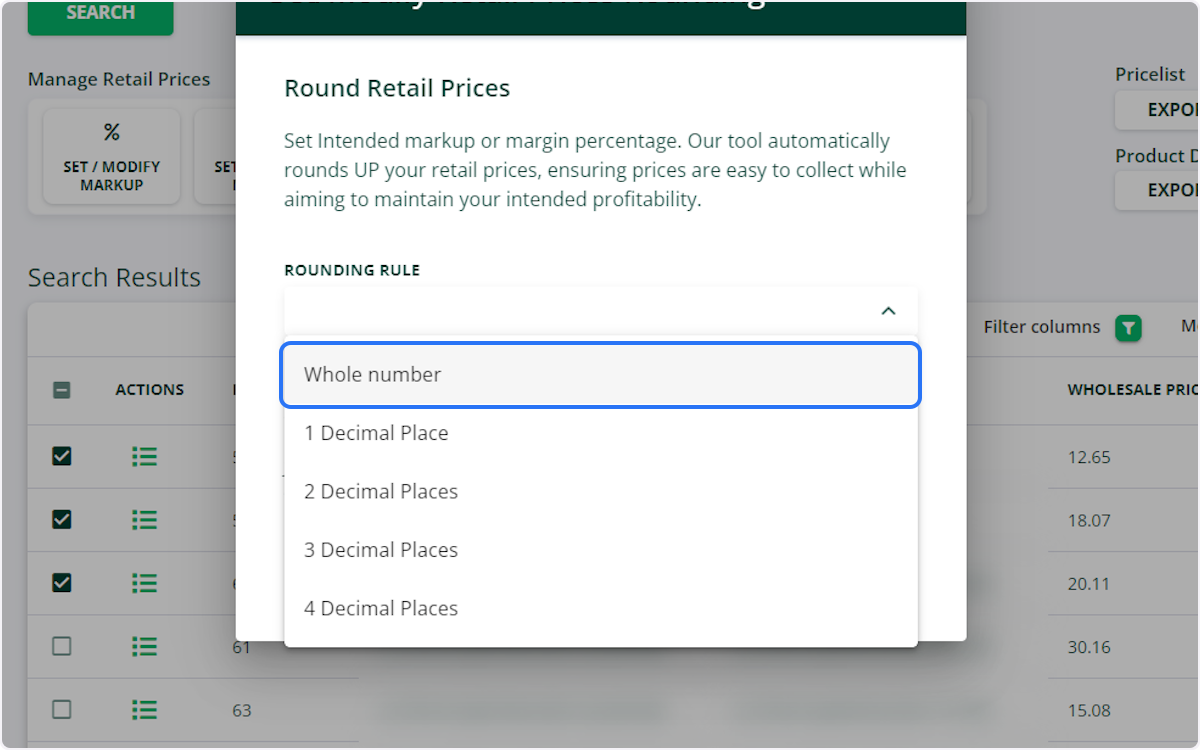
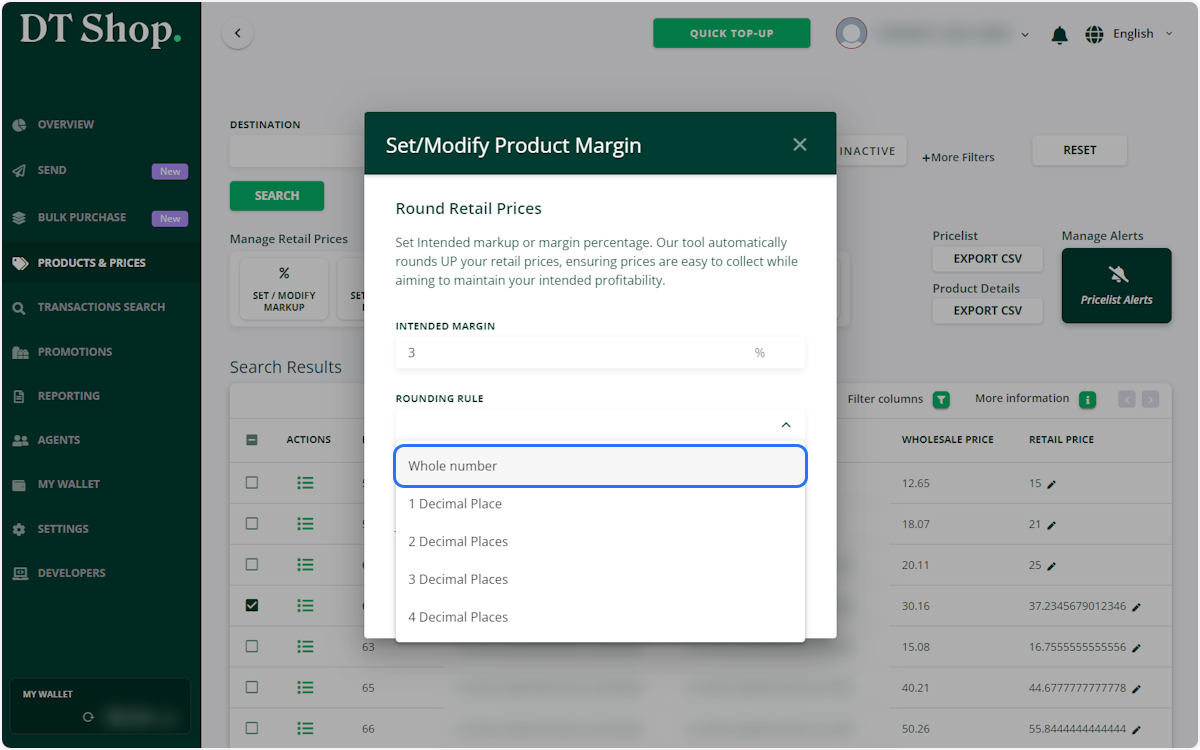
- Select the Rounding Rule
Rounding to the Nearest Whole Number: When this setting is enabled, amounts will be rounded up to the closest whole number. For example, if the price is $3.17289056352, it will be rounded up to $4.00.
Rounding to One Decimal Place: With this setting, amounts are rounded up to the nearest tenth. For instance, a price of $3.17289056352 would be rounded up to $3.2.
Rounding to Two Decimal Places: This setting rounds amounts up to the nearest hundredth. For example, a price of $3.17289056352 would be rounded up to $3.18.
Rounding to Three Decimal Places: Here, amounts are rounded up to the nearest thousandth. So, a price of $3.17289056352 would be rounded up to $3.173.
Rounding to Four Decimal Places: This setting rounds amounts up to the nearest ten-thousandth. For example, a price of $3.17289056352 would be rounded up to $3.1729.
These explanations provide clarity on how each rounding setting affects the given example, ensuring prices are adjusted accurately according to your specifications.
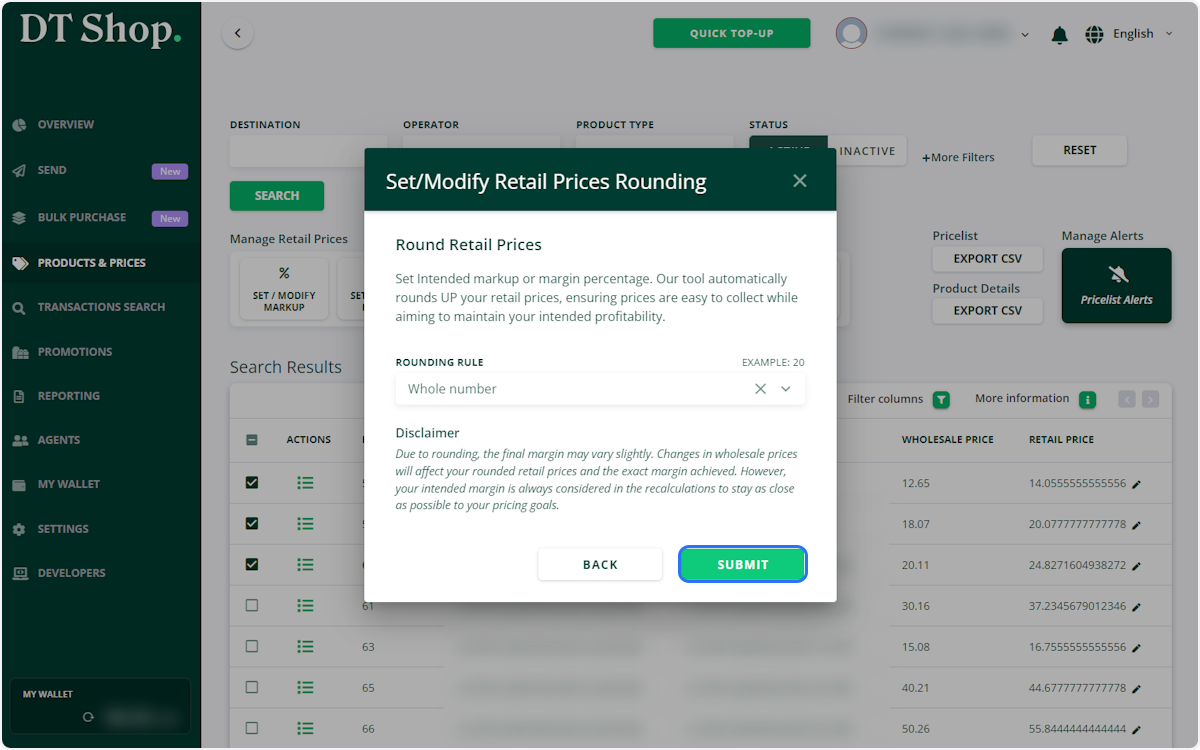
- Acknowledge the Disclaimer and click Submit. Prices are rounded
Note! Due to rounding, the effective margin/markup may vary slightly. Changes in wholesale prices will affect your rounded retail prices and the exact margin achieved. However, your intended margin is always considered in the recalculations to stay as close as possible to your pricing goals.
- Option 2. Round Prices when Setting Retail Prices
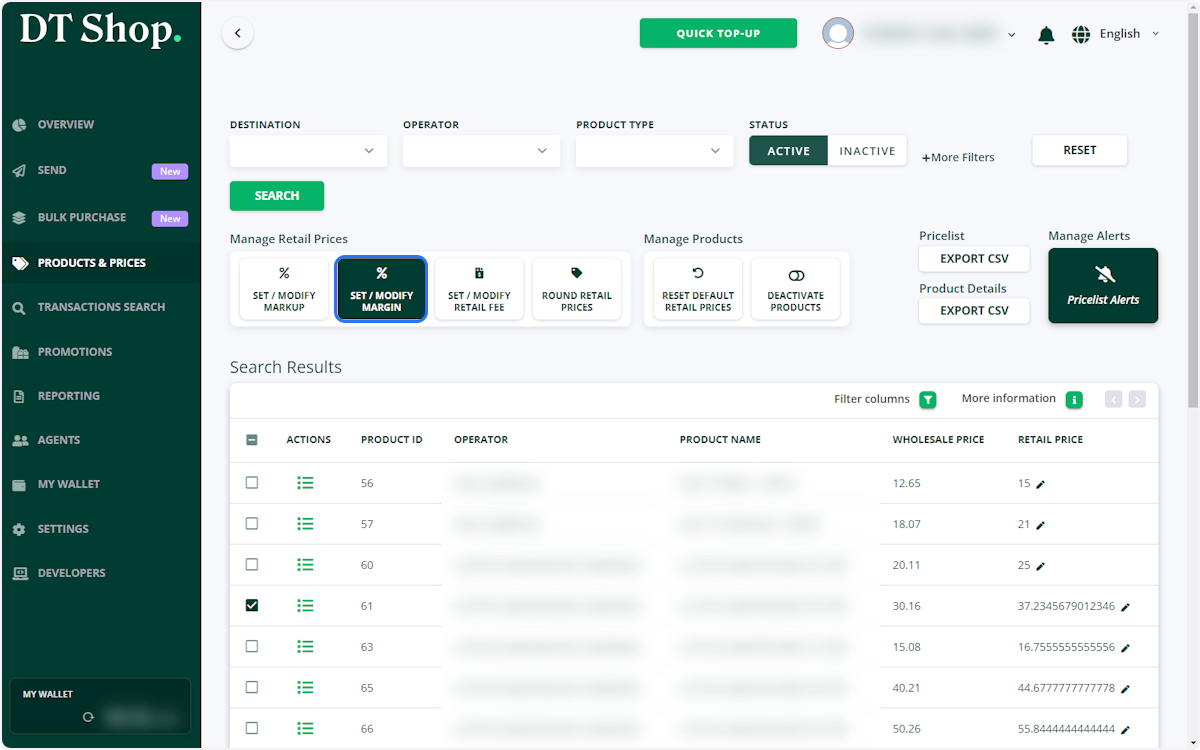
Select single / multiple products (to select all products by ticking the box on the table header) and select the desired option SET / MODIFY MARGIN or SET / MODIFY MARKUP
- Select the option Round Retail Prices / Do not Round Retail Prices
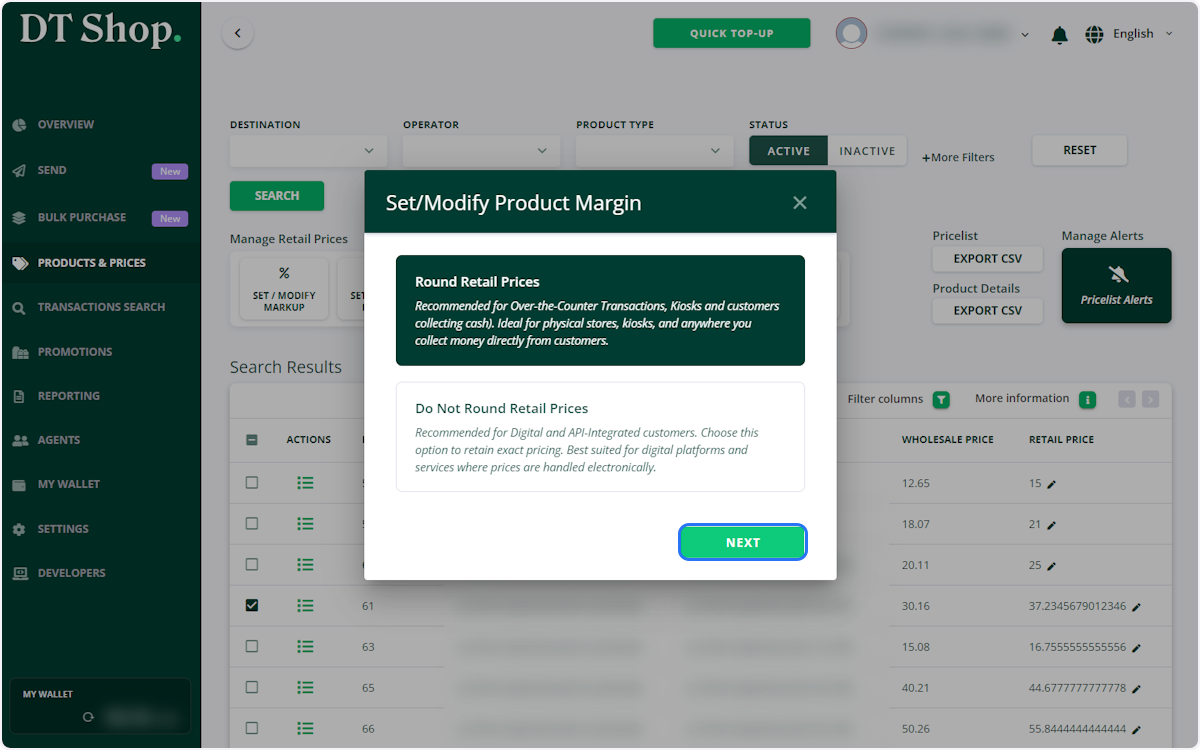
- Set intended MARKUP / MARGIN and Specify Rounding Rule and click Submit.
Rounded Retail Prices are set.
-
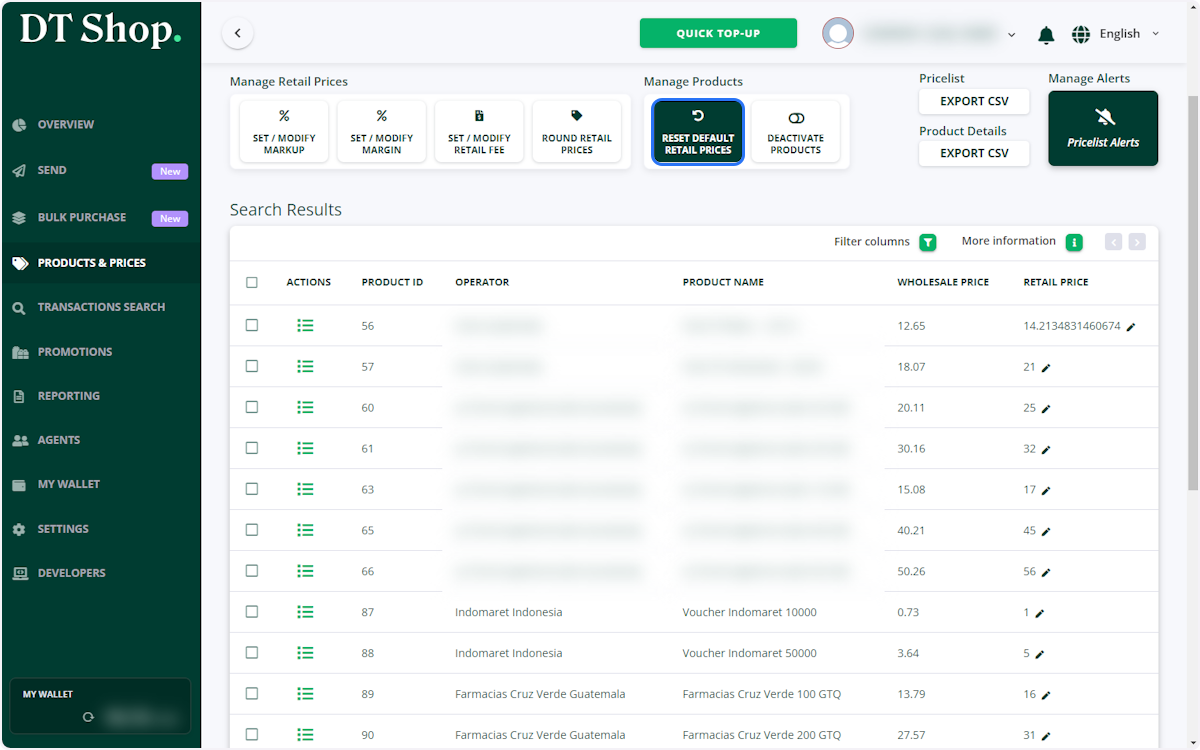
Reset to Default Retail Prices
- Select Products:
-
Choose either a single product or multiple products for which you want to reset the retail prices.
- Reset Prices:
-
After selecting the products, click on RESET DEFAULT RETAIL PRICES. This action will revert the prices to the initial pricing provided by DT One.
Updated 5 months ago