
Preproduction Environment
How to Create a Preproduction Environment in DT Shop
This guide provides a step-by-step walkthrough for creating a preproduction environment in DT Shop. The preproduction environment allows to perform end-to-end testing of transactions and workflows before deploying to production. The preproduction environment is fully functional for testing your API transactions and workflows.
Step 1: Access the Developers Section in DT Shop
- Log in to your production DT Shop account.
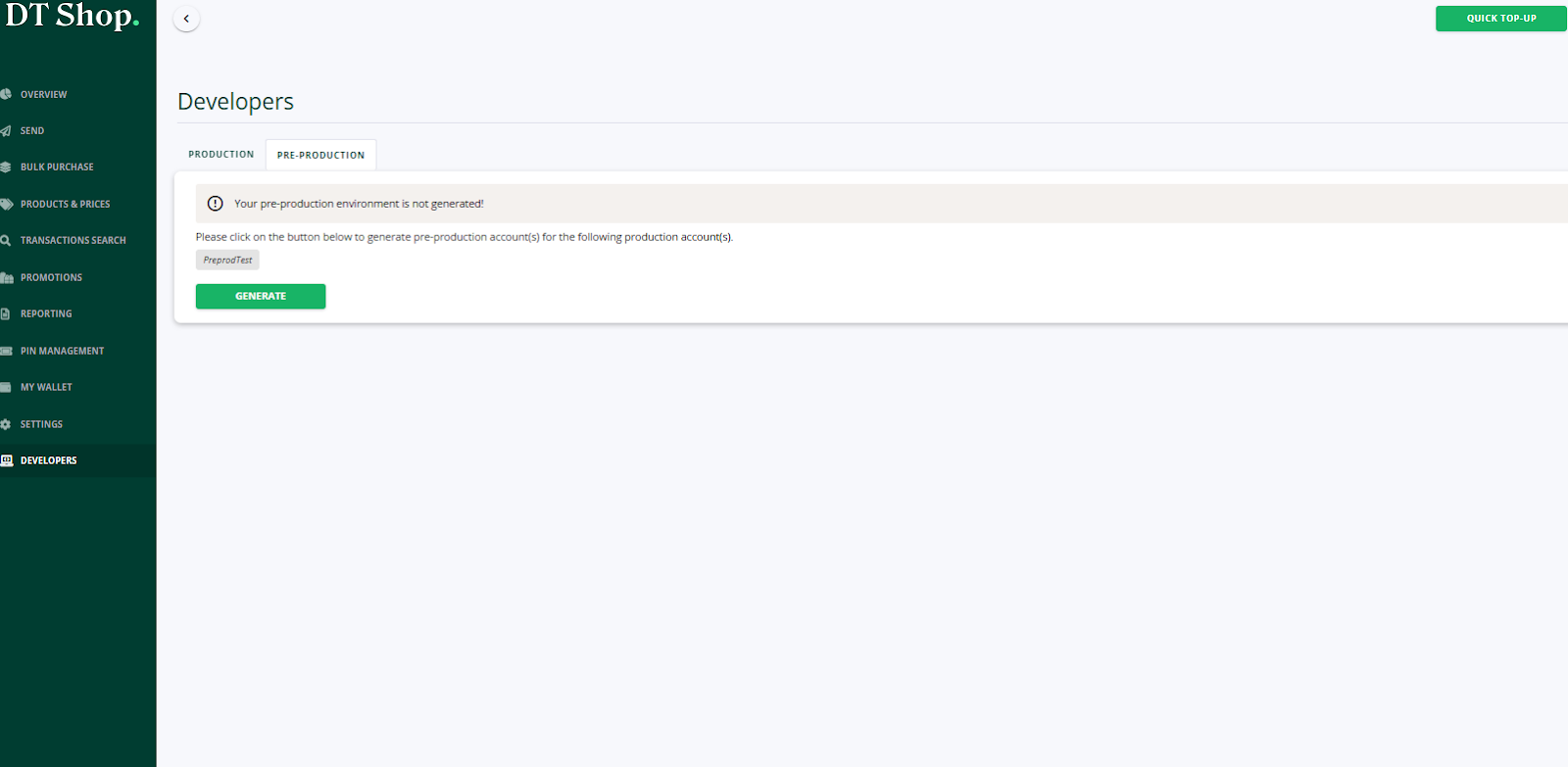
- Navigate to the "Developers" section in the left-hand menu.
Step 2: Generate the Preproduction Environment
- In the "Developers" section, switch to the "Pre-Production" tab.
- You will see a notification: "Your pre-production environment is not generated!"
- Click the green "Generate" button to initiate the setup process.
-
Note, if you have already generated your preproduction environment in the past, you can skip this step.
Step 3: Access the Preproduction Environment
- After generating the preproduction environment, visit the following URL to access it: https://preproduction-dtshop.dtone.com/
- Log in using your production DT Shop credentials.
Step 4: Perform First-Time Login Setup
- DT Shop users in preproduction are created passwordless by default.
- During your first login, click the "Forgot Password" link to reset your password.
- Follow the instructions in the password reset email to set up a new password for the preproduction environment.
Step 5: Explore Preproduction Features
- Your preproduction wallet is preloaded with 100,000 units balance in your wallet currency for testing purposes.
- Pricelists are automatically assigned based on a default mapping table (Note, pricelists are not copied from production).
- Use the preproduction environment to test transactions, workflows, and integrations. Some features, such as reports and KPI dashboards, are not available in preproduction.
Updated 5 months ago
Did this page help you?