
NEW! How to Subscribe to Pricelist Change Notifications (Pricelist Alerts)
-
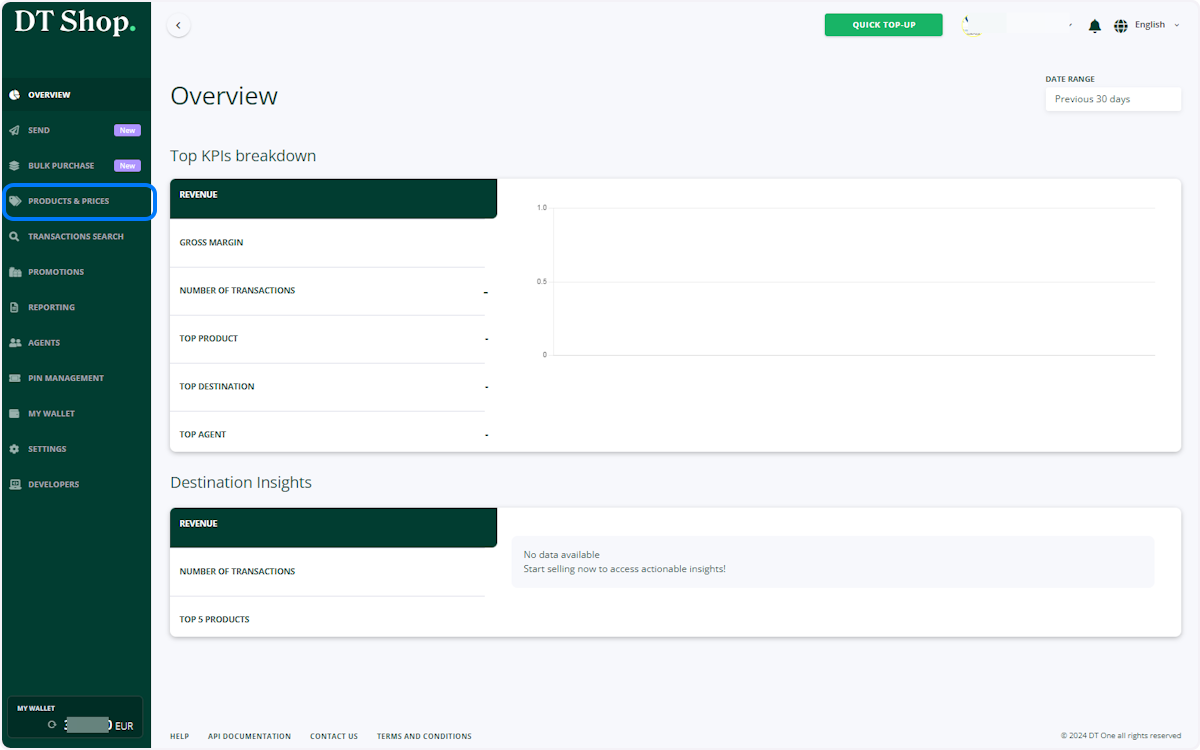
Click on PRODUCTS & PRICES
-
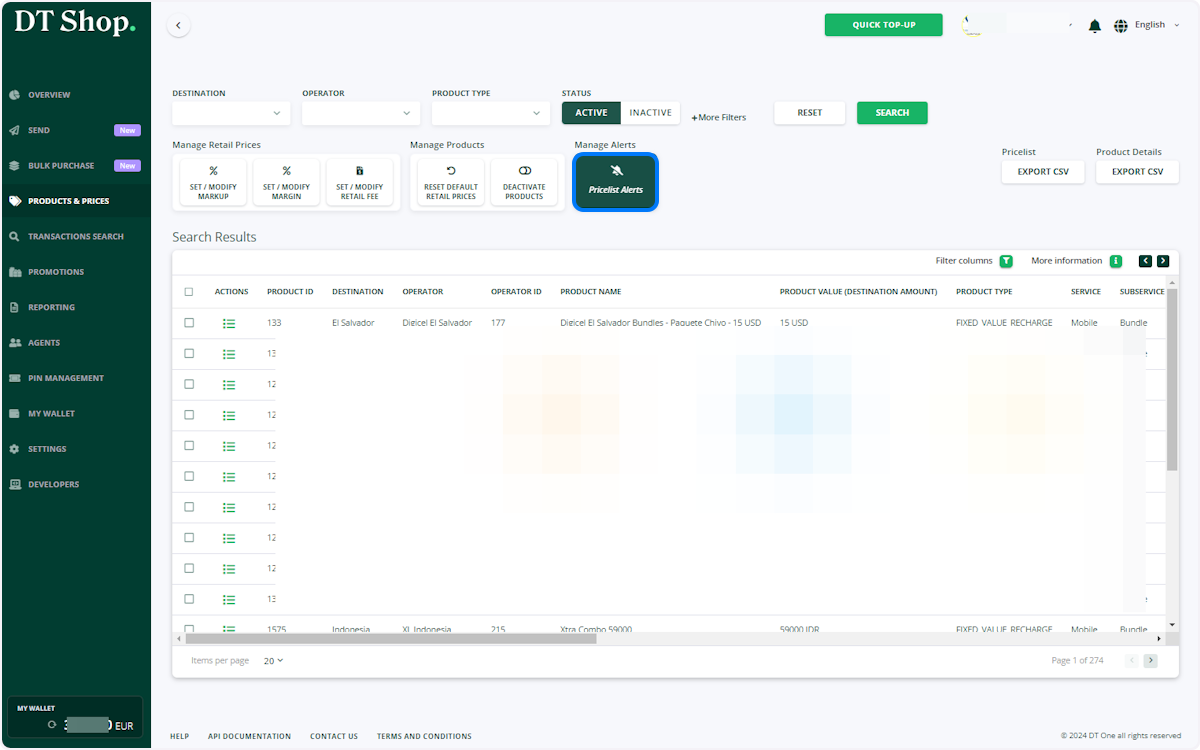
Click Pricelist Alerts Button
-
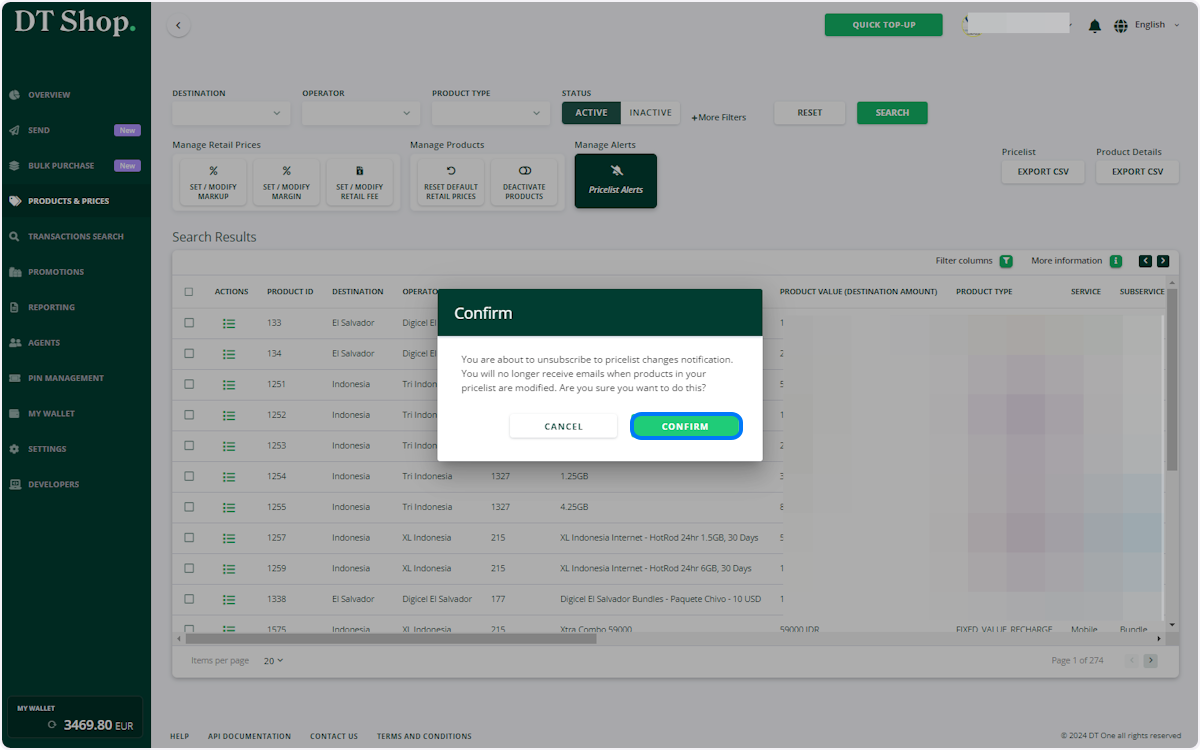
Click on CONFIRM
-
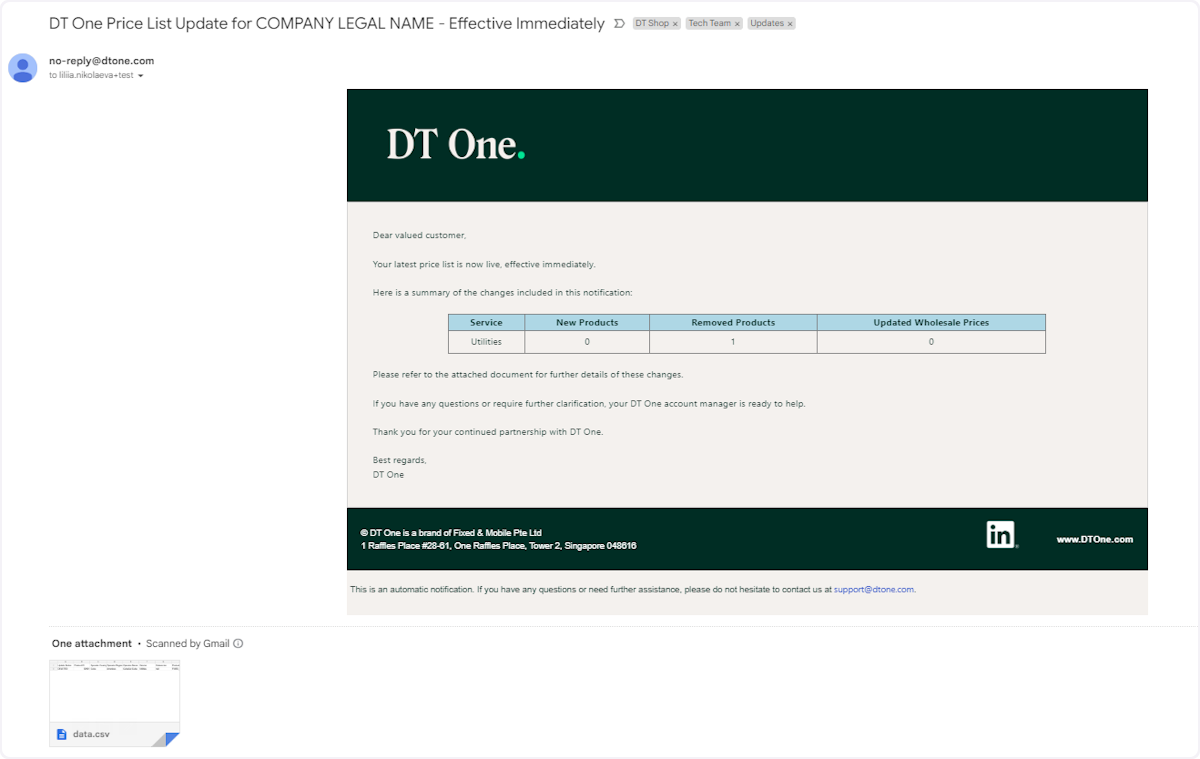
Receive notifications on your registered email
Whenever there are changes to wholesale prices or modifications to product list (including additions or removals), you will receive an email notification. This email will include consolidated information about the changes to keep you promptly informed and an attachment, detailing each change per product id
-
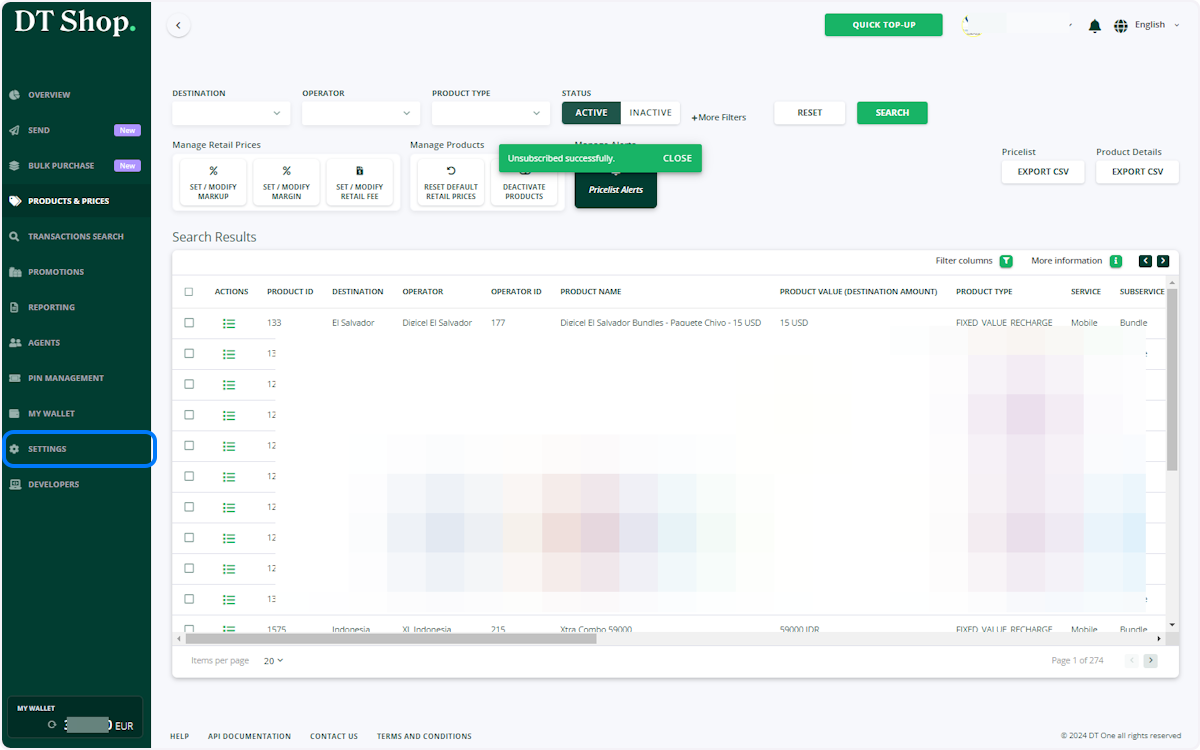
Alternative way to Subscribe: Click on SETTINGS
-
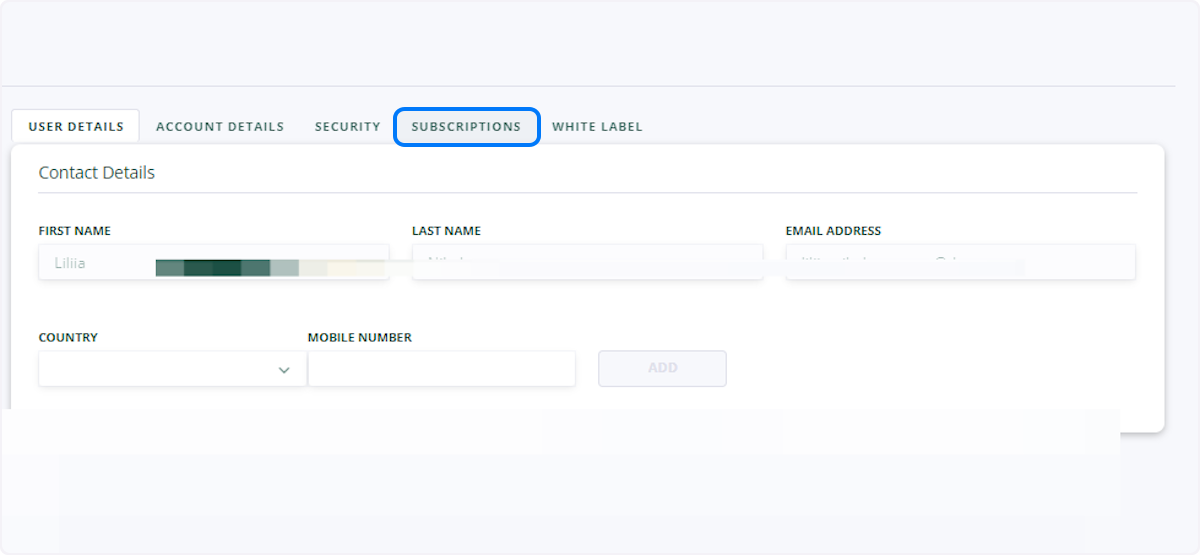
Click on SUBSCRIPTIONS
-
Click on SUBSCRIBE to Pricelist Changes

-
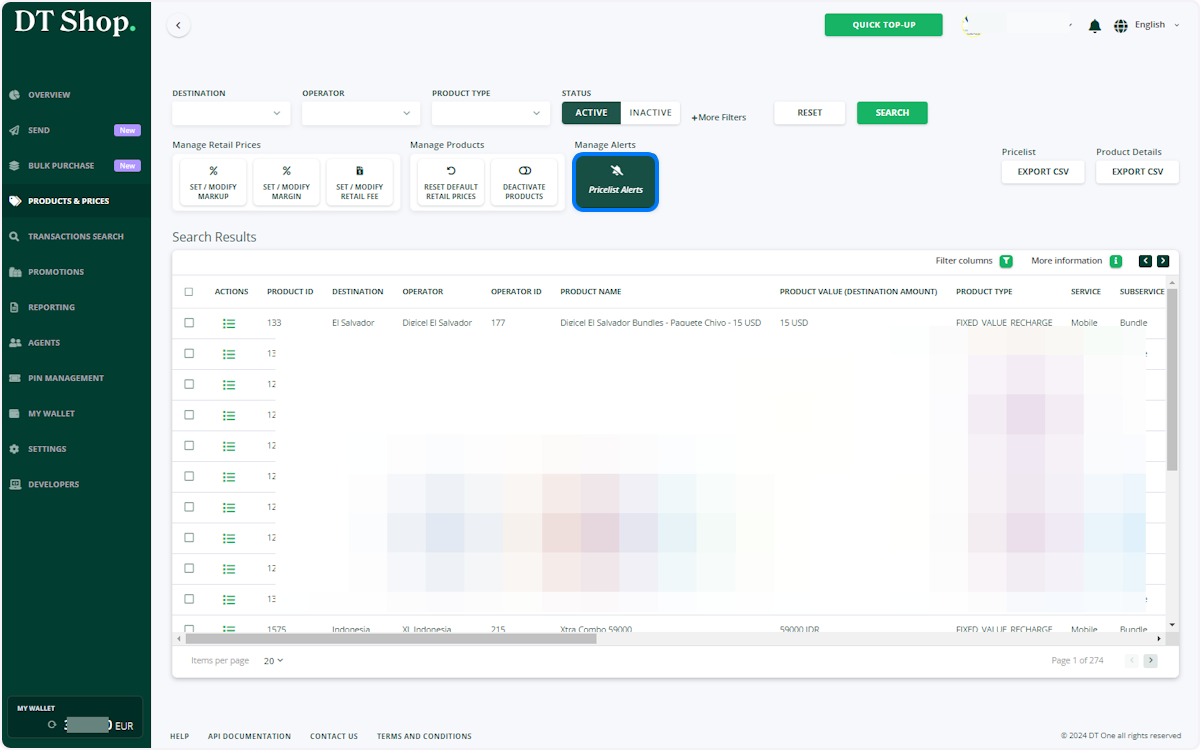
To UNSUBSCRIBE, click Pricelist Alert Button
or manage your subscription in Settings as described above
-
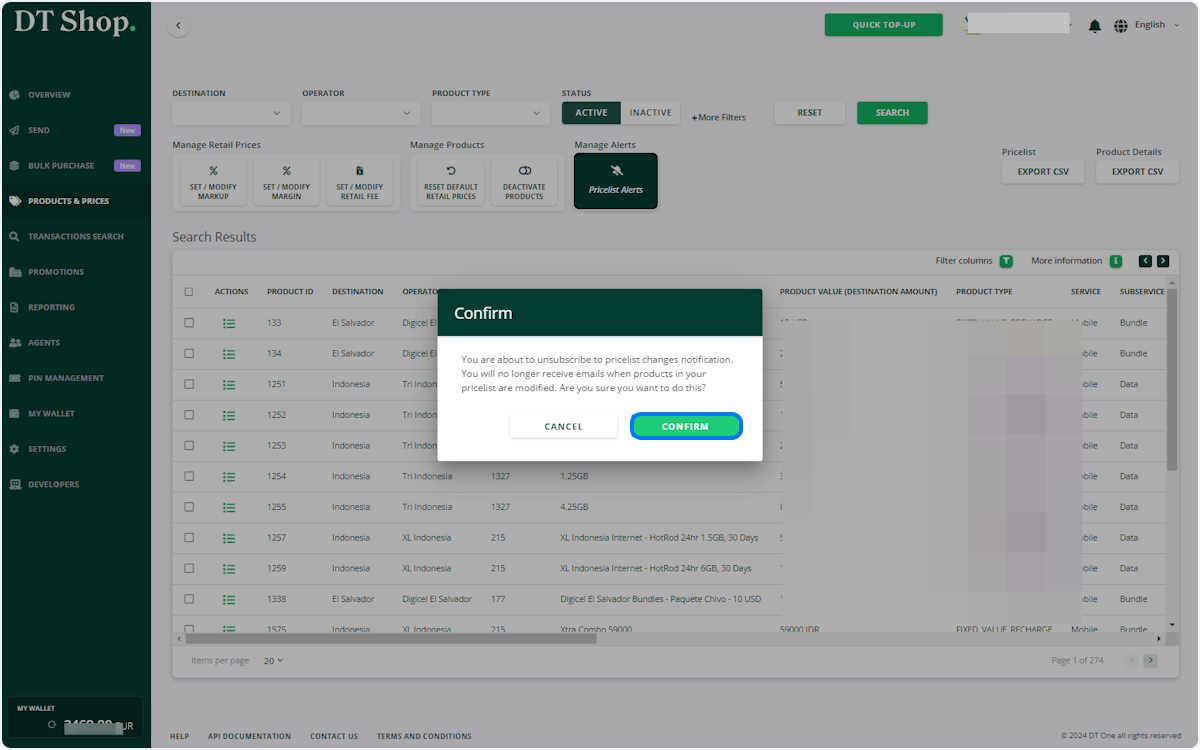
Click on CONFIRM
Updated 5 months ago
Did this page help you?